
I have spent a lot of time lately trying to remove my dependence on American technology companies.
Not because I suddenly hate everything made south of the border because I like the idea of having Canadian alternatives.
Maple Maps is a Canadian navigation app that is being built specifically for Canada and no, it isn't just Google Maps with a maple leaf slapped on the icon.
So What Is Maple Maps?
Maple Maps is a navigation app designed around Canadian users.
It provides turn-by-turn navigation, live traffic information, road closures, business information, fuel and EV charging information, and the usual things you expect from a modern mapping application.
The difference is the philosophy behind it.
Maple Maps says it is built for Canada, with Canadian data infrastructure and a focus on Canadian businesses.
The service is currently in beta and available for iPhone and Android, you can sign up on their website to be in the beta and invitations are being rolled out as testing continues.
Canadian owned businesses
This is one the features that caught my attention. Maple Maps can identify Canadian owned businesses with a maple leaf.
- A solid maple leaf means the company has been confirmed as Canadian-owned.
- A hollow maple leaf indicates Canadian roots where ownership is foreign, mixed or hasn't been confirmed.
- No maple leaf means no or unconfirmed Canadian roots.
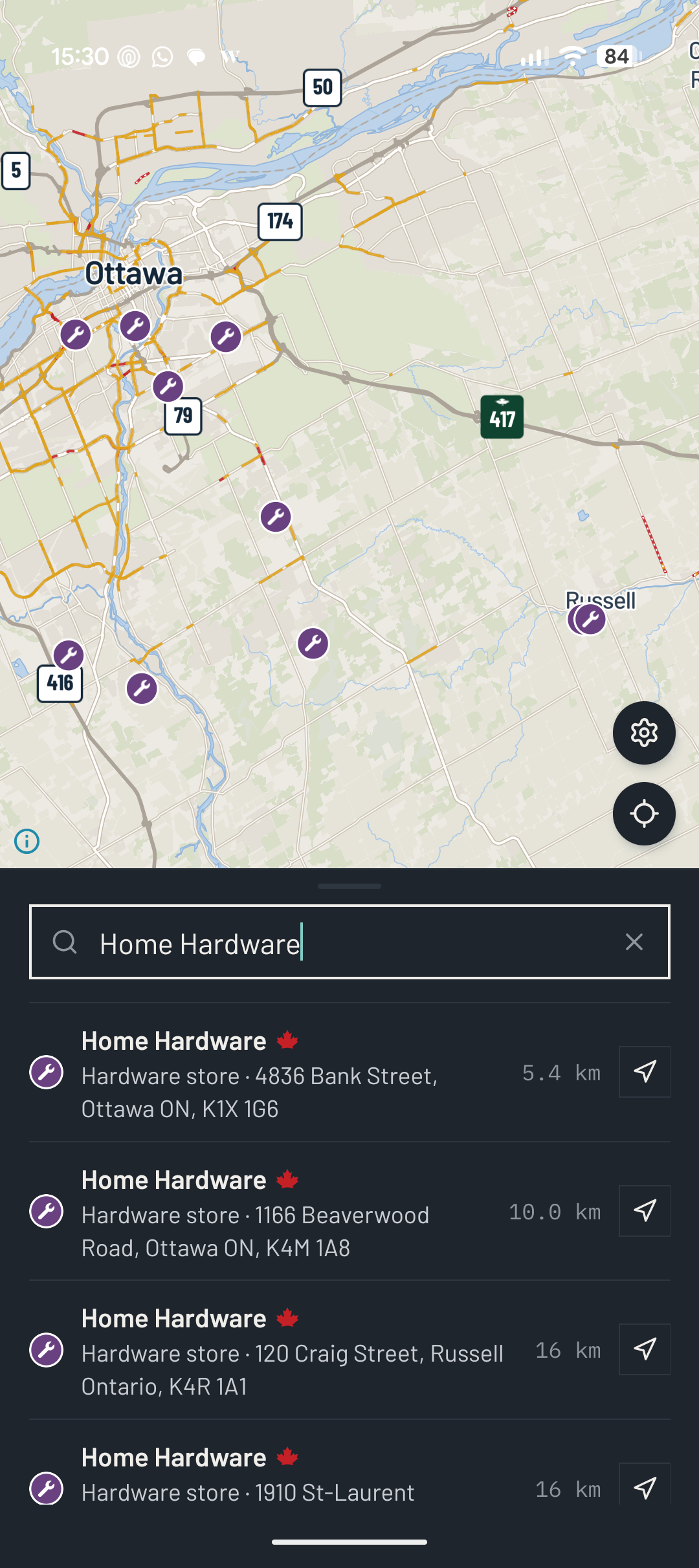
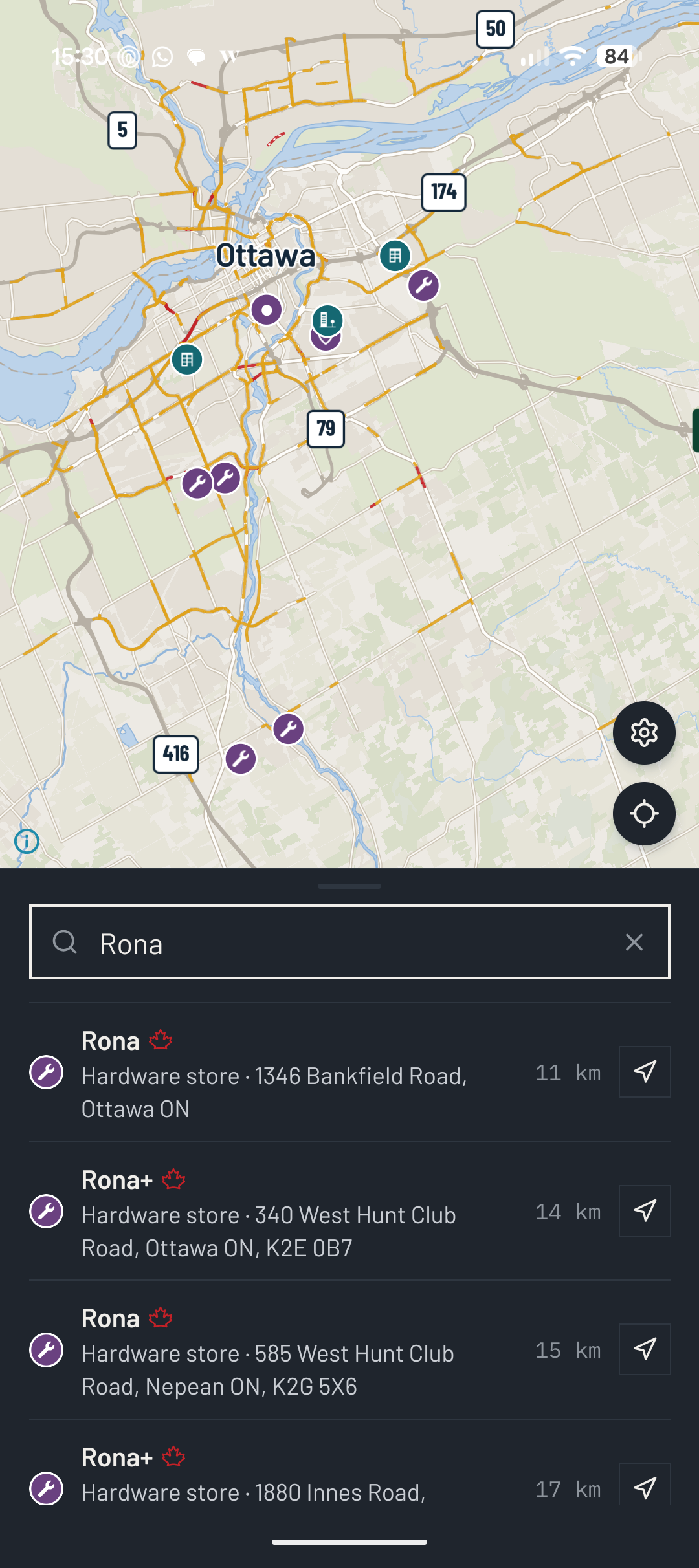
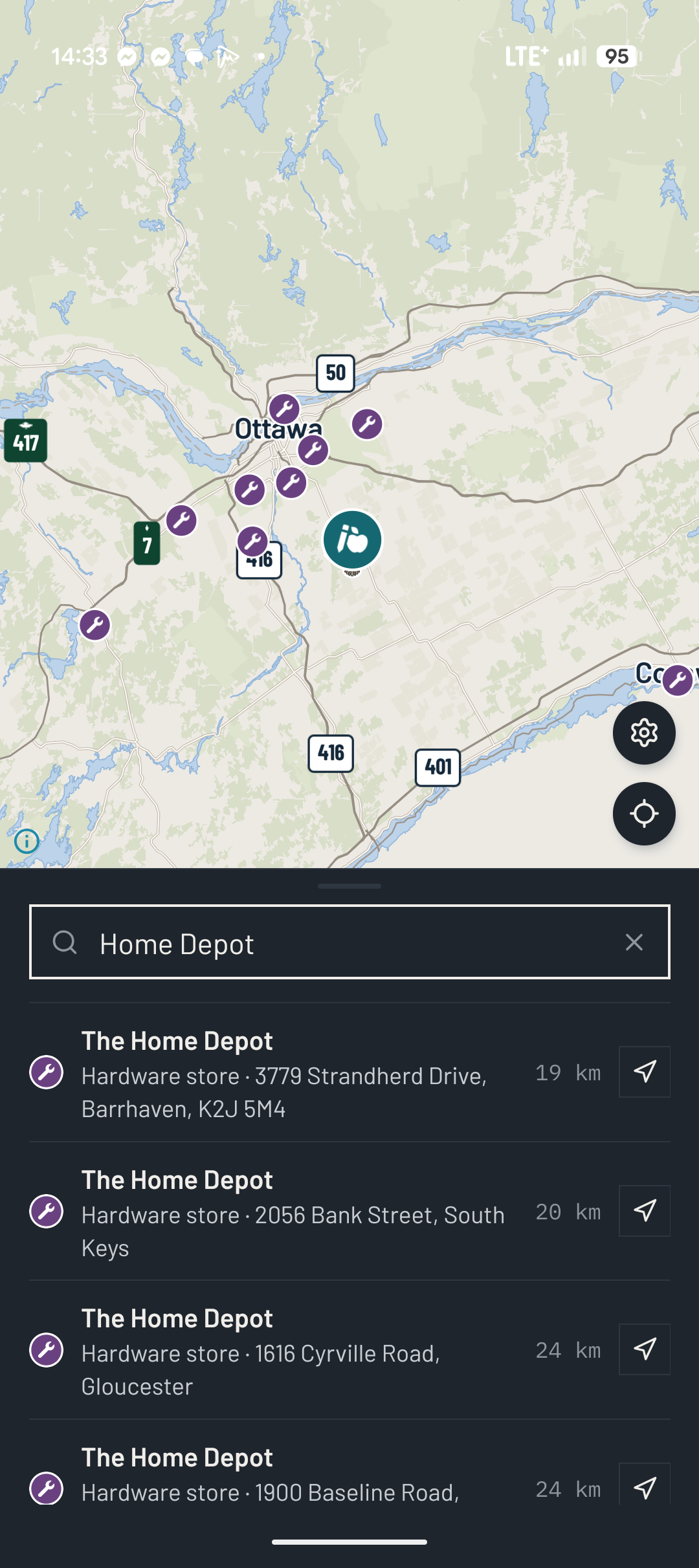
Solid, hollow and no Maple Leaf
Maple Maps currently says it has almost 600 brands in this database, with a source attached to each one.
One of the frustrating things about trying to support Canadian businesses is figuring out who is actually Canadian.
A company can have a Canadian flag on the website, a Canadian headquarters and a very Canadian sounding name and then you discover it was bought by a company somewhere else 14 years ago.
The maple leaf approach doesn't magically solve that problem, but it gives people another piece of information when deciding where to spend their money.
Features
Maple Maps includes the regular, to be expected live traffic, road closures and speed limit information. Displaying the route in green, slower traffic in yellow and closures in red, making it easier to see what is happening ahead.
Recent updates have also added better route descriptions, including information such as toll roads, gravel roads and ferries.
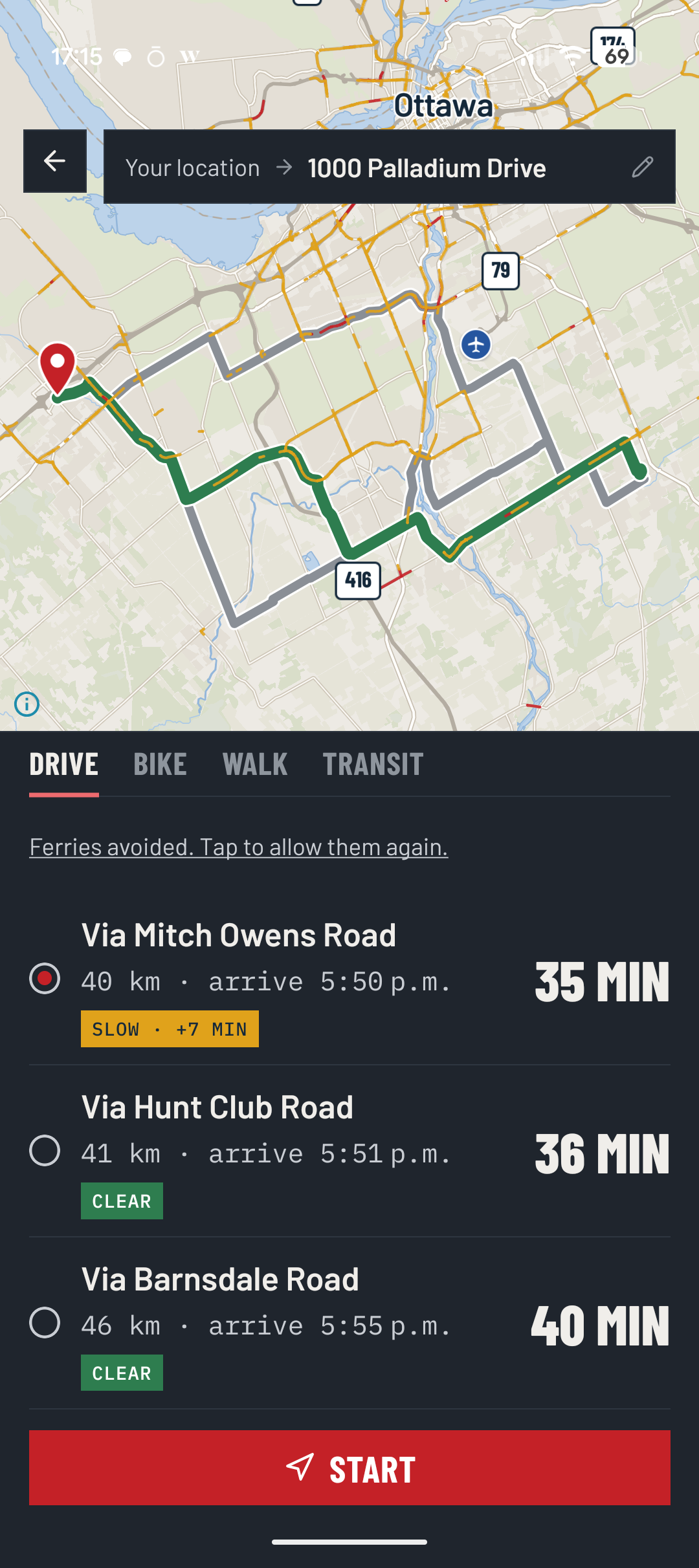
That is the kind of boring little feature that can actually make a navigation app better.
Is the store open?
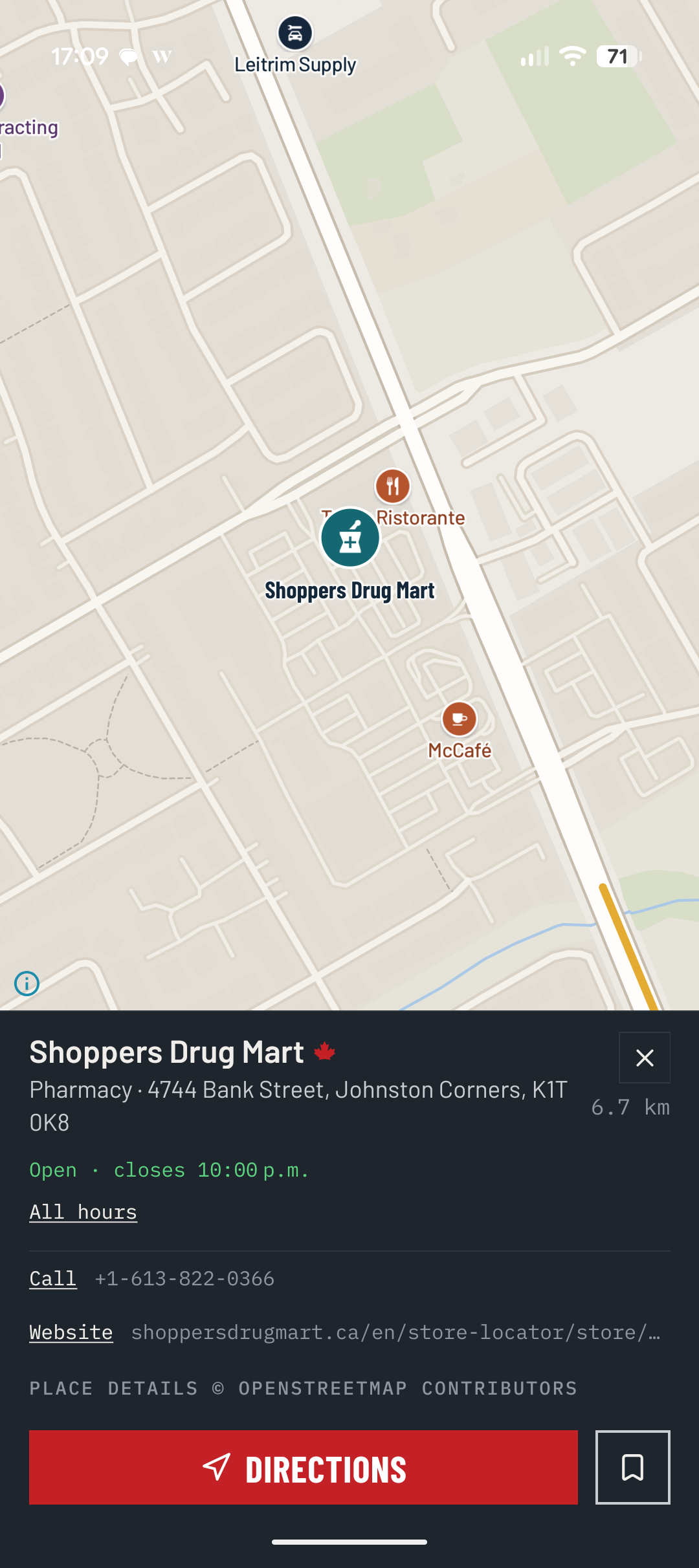
Another feature I like is the amount of information available before you start driving somewhere.
Maple Maps can show things such as:
- Opening hours
- Whether the business is currently open
- Wheelchair accessibility
- Drive-thru availability
- Patio
- Wi-Fi
- Phone number
- Website
Fuel, parking and EV charging
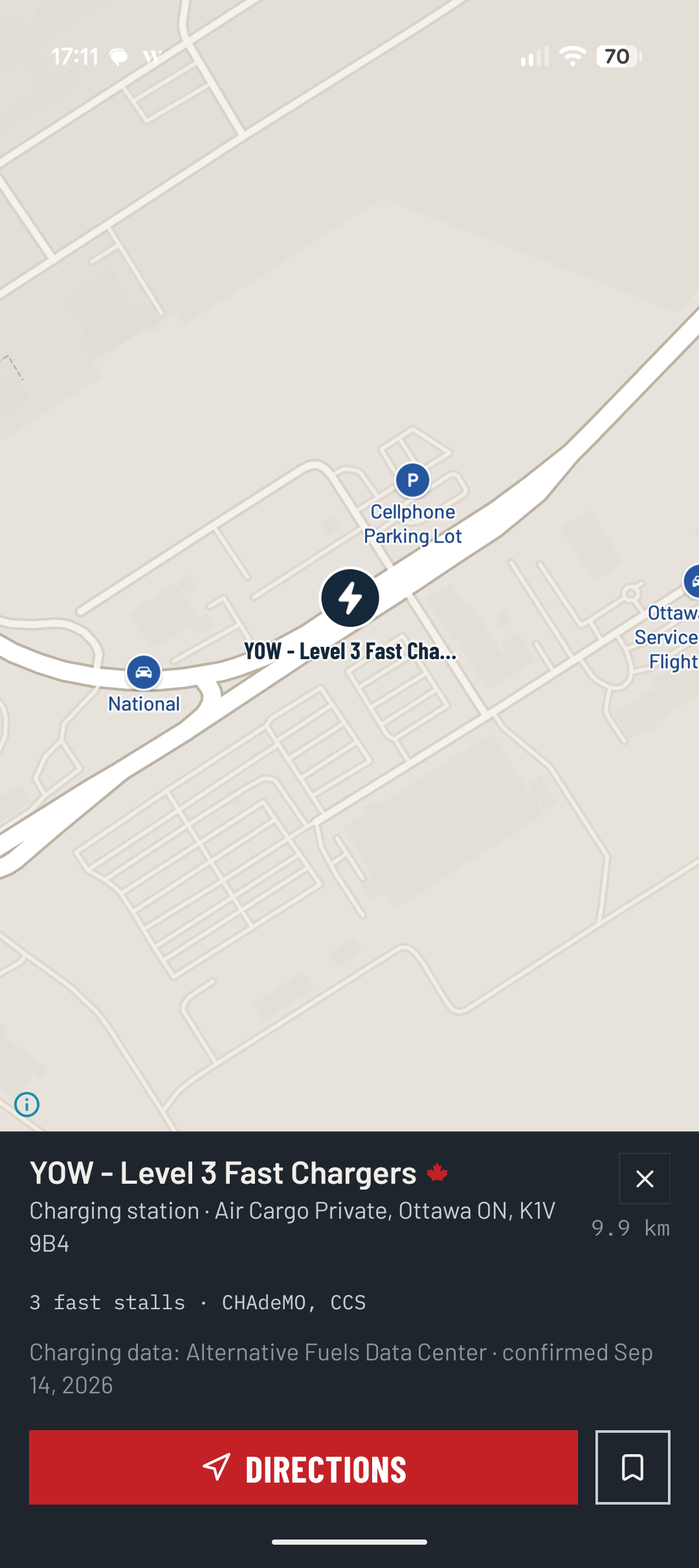
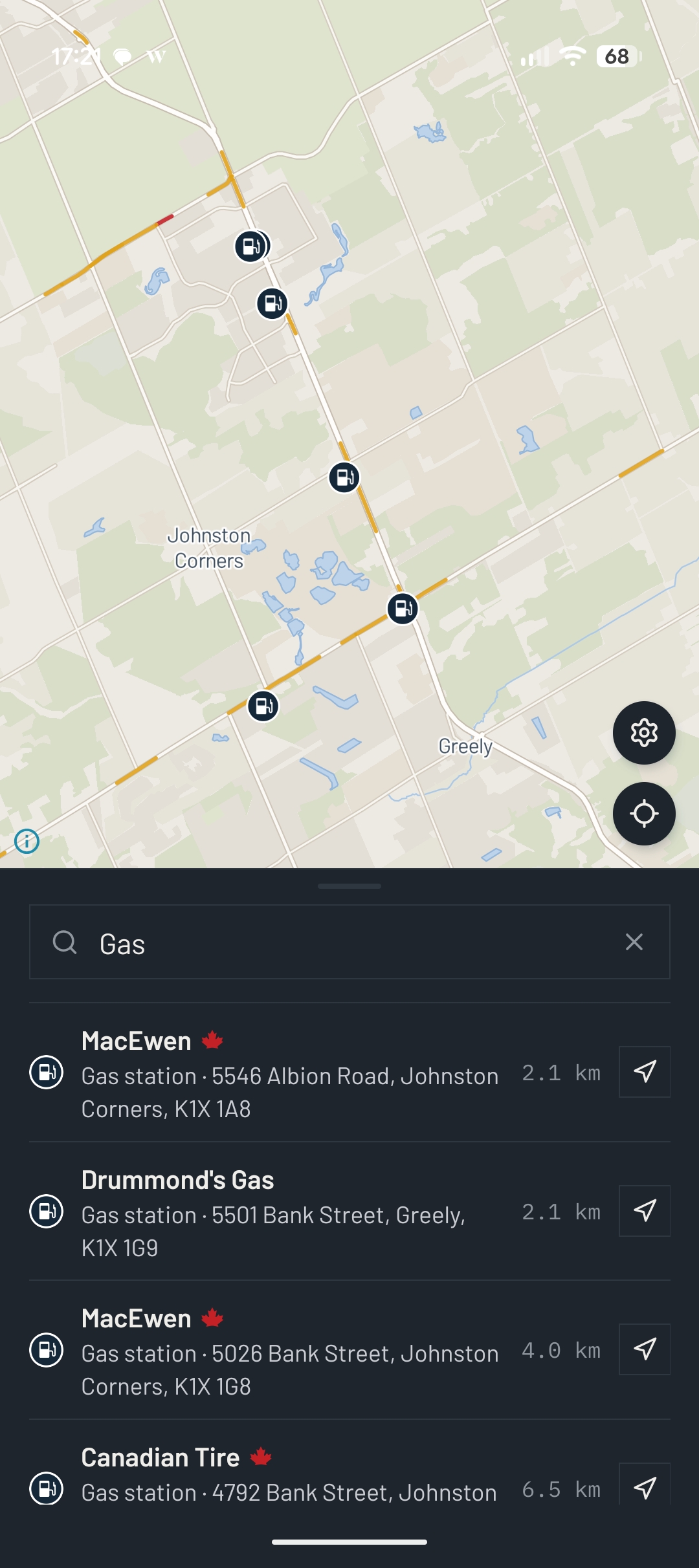
Maple Maps also has dedicated searches for gas stations, parking and charging stations.
For EV charging, it can show the connector type and charging power. That's becoming increasingly important as more Canadians move toward electric vehicles.
And for those of us who still drive vehicles that consume gas and diesel, finding fuel remains useful too.
Your data stays in Canada
This is probably the biggest reason Maple Maps fits particularly well with what I've been trying to do with my own technology setup.
Maple Maps says you don't need an account to use the application. Saved places stay on your phone, and its service runs from a Canadian data centre in Montréal.
- I've been slowly moving more of my personal data and services away from large American technology companies.
- I've been self-hosting things at home.
- I've moved photos to Immich.
- I've been working on my own services.
I've been reducing the amount of information I willingly hand over to giant corporations simply because their app happens to be convenient and now there is a Canadian navigation option.
Design
Maple Maps is designed aesthetically beautiful, and the navigation voices sound fantastic when giving you driving directions. You can even make yourself a goose as your indicator on the map, a nice Canadian touch.
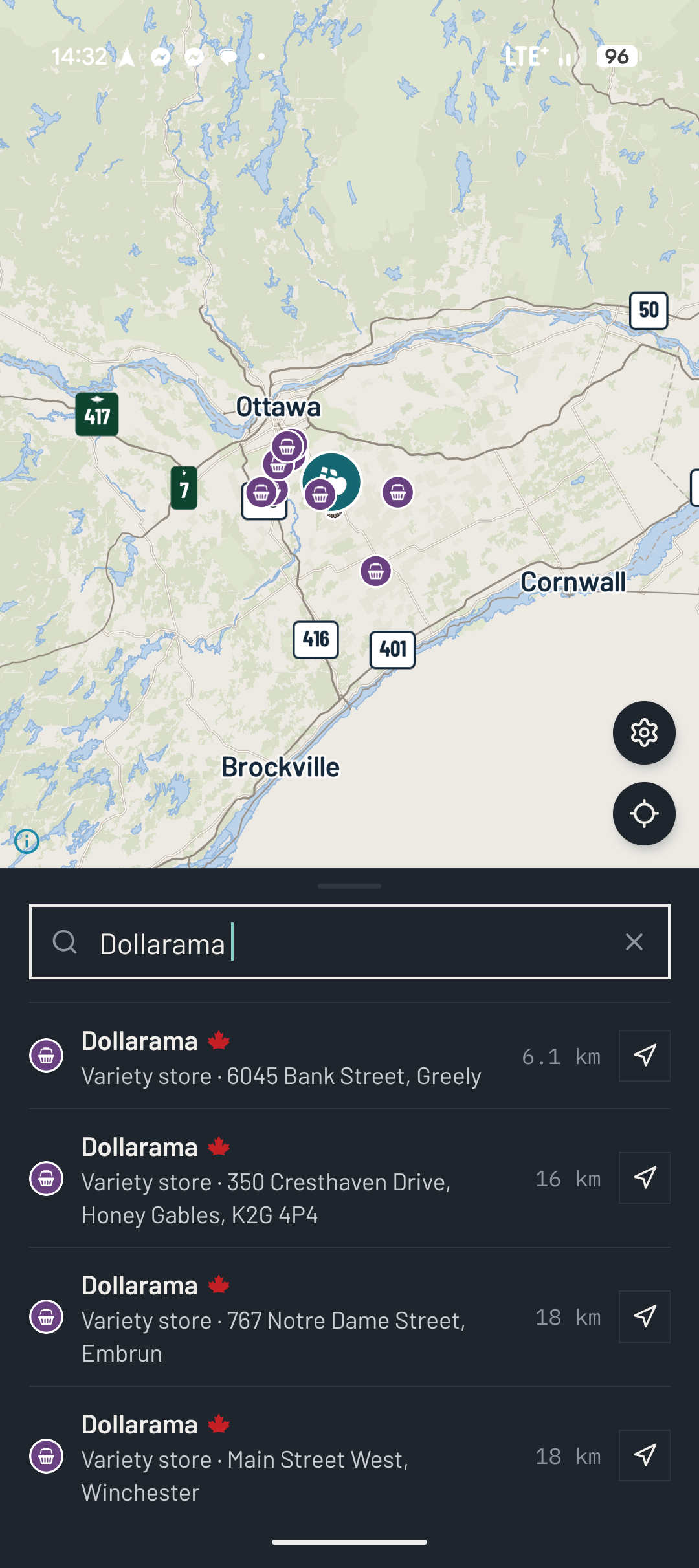
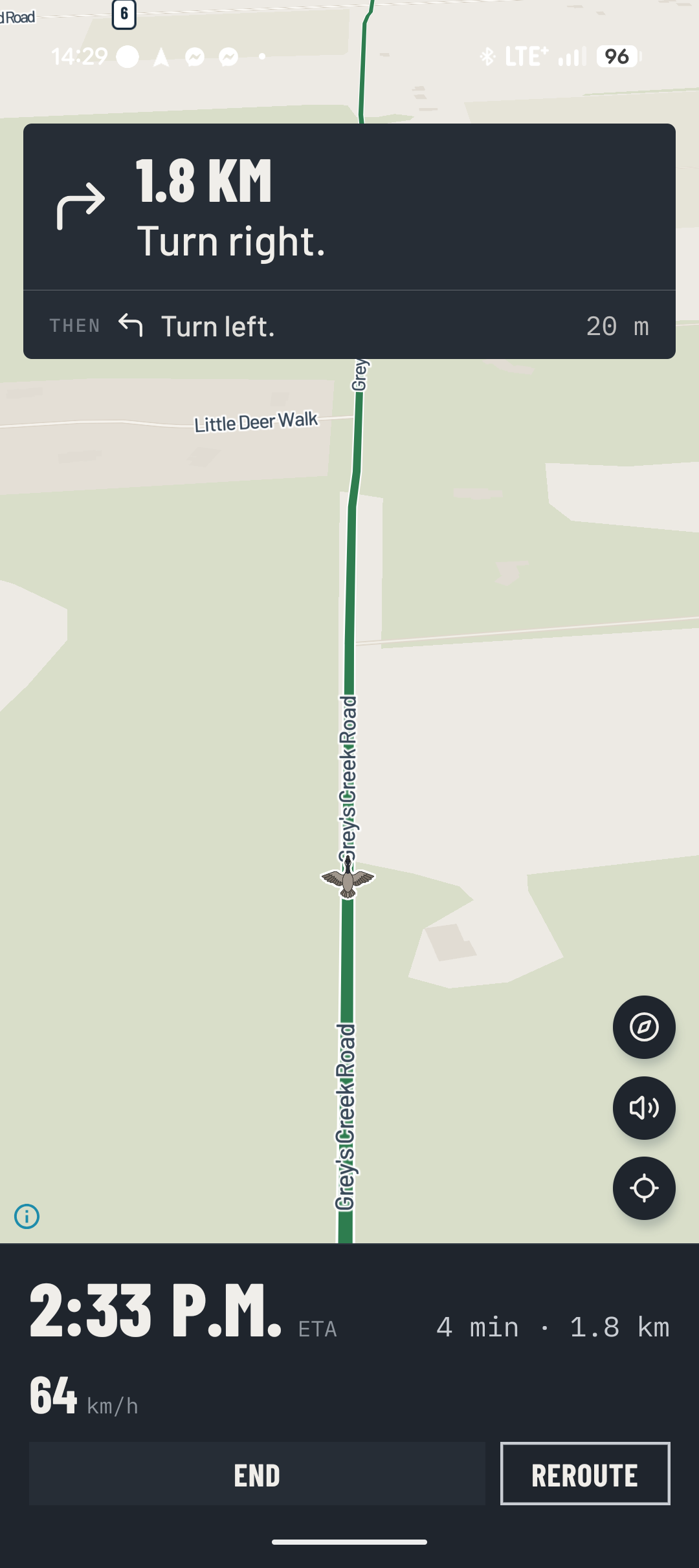
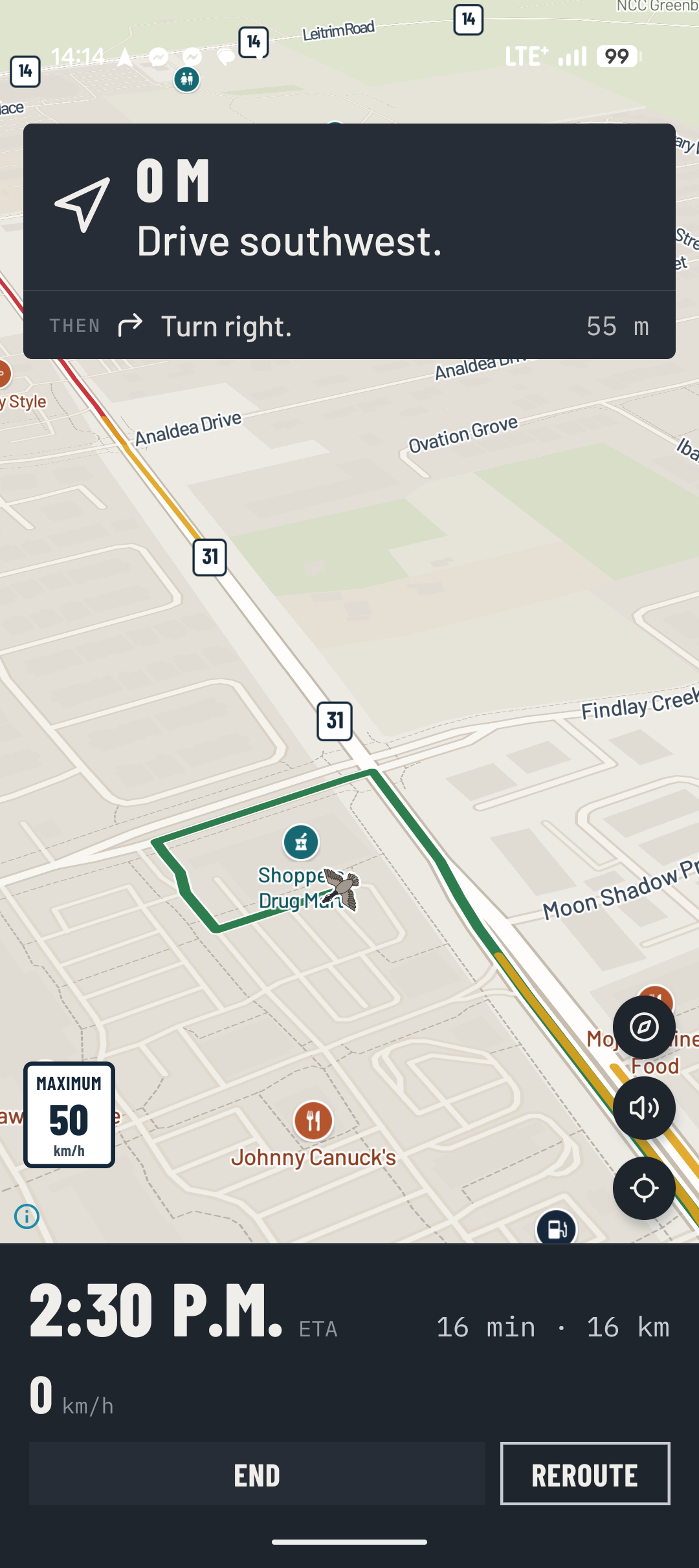
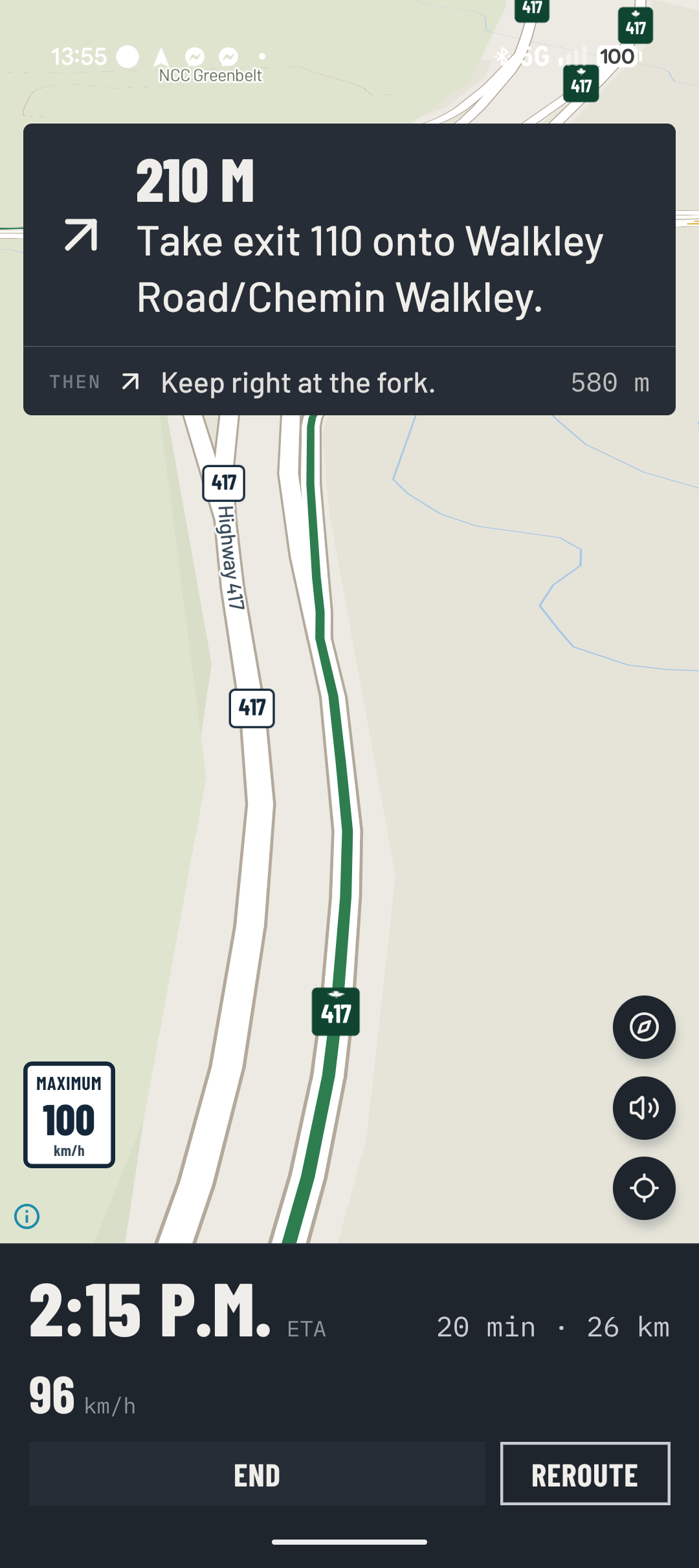
Images showing how the app is nicely designed
It's still in beta
The project itself acknowledges that it is still being developed, and recent updates have been fixing issues based heavily on feedback from beta testers. I've been actively sending in feedback and suggestions as I've thought about them.
They've been very active in sending out updates, bug fixes and features. That is very promising and important in app development.
Should you try it?
If you are perfectly happy with Google Maps, Apple Maps or Waze, Maple Maps isn't going to make you throw your phone into Lake ONTARIO but if you find Lake America, please do 😂, no matter what your map app choice is. But for me, I think it is worth switching and giving this app a try for yourself.
The appeal isn't simply having a Canadian alternative to Google/Apple Maps or Waze, it's the combination of:
- Canadian-owned business identification
- Canadian data hosting
- No account required
- English and French support
- Canadian-focused mapping
- Traffic and road closures
- EV charging and gas/diesel information
- Local business information
- A growing Canadian place database
That is a pretty compelling list.
Sign up for the beta on their website at MapleMaps.ca and make your boring drives a little more exciting!